Daraja API Integration

M-Pesa Integration for Websites, Apps & Business Systems

Collect, pay out and reconcile M-Pesa payments automatically.

We connect your website, e-commerce store, mobile app, ERP, POS or custom software to Safaricom's Daraja API β€” from a single STK Push checkout to full C2B, B2C and B2B automation with real-time reconciliation.

  • STK Push (Lipa na M-Pesa Online)
  • C2B Paybill & Till
  • B2C Payouts
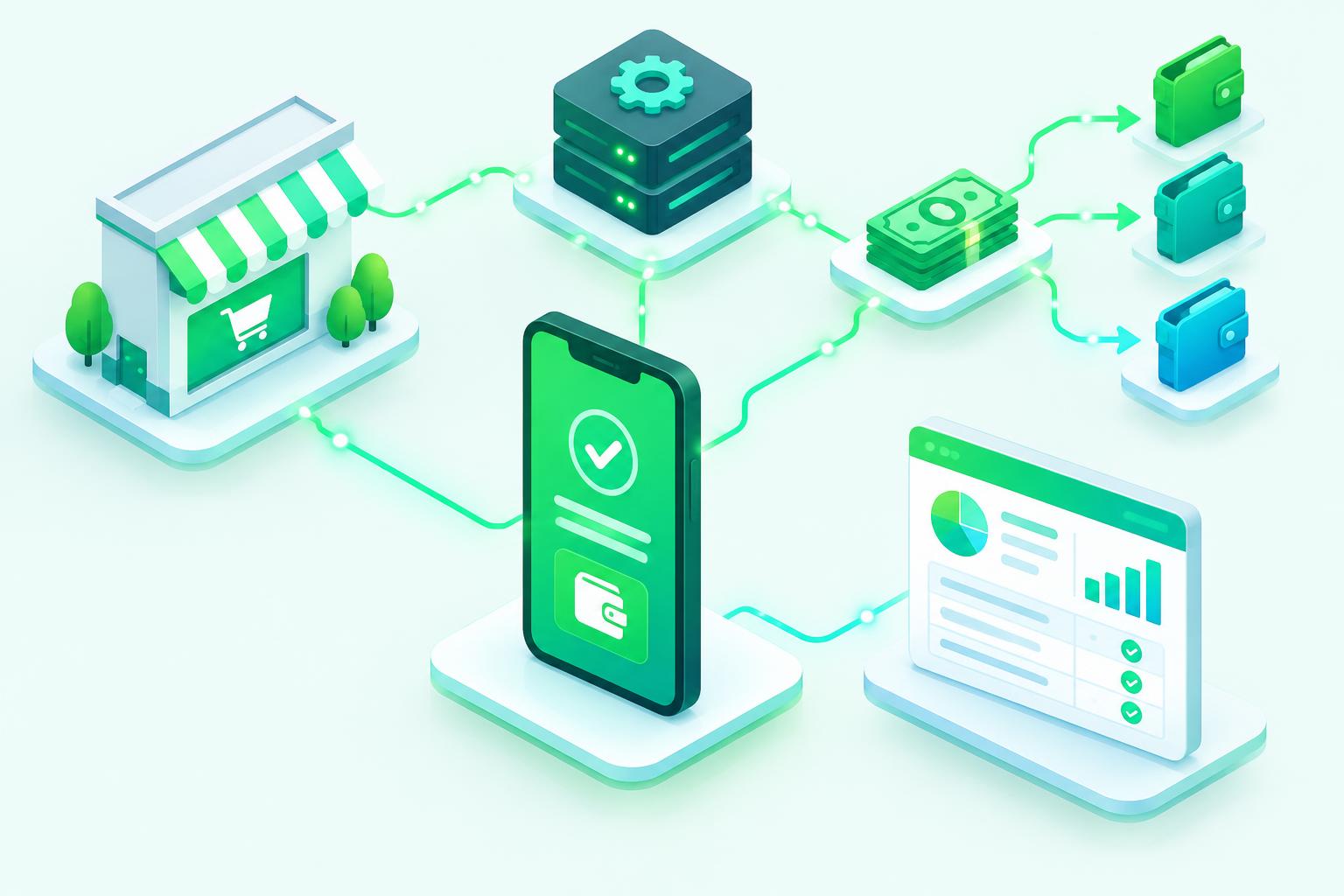
Mobile money payment flowing from phone to shop, payouts and reconciliation dashboard
Get paid faster. Reconcile automatically. Scale confidently.

Platforms & providers

eTIMS logo
eTIMS
Equity Bank logo
Equity Bank
Family Bank logo
Family Bank
Co-operative Bank
NCBA Bank logo
NCBA Bank
National Bank of Kenya logo
National Bank of Kenya
KCB logo
KCB
M-PESA logo
M-PESA
Overview

Why integrate M-Pesa directly?

M-Pesa is how most Kenyans pay. Asking customers to send money manually and then type a confirmation code creates delays, errors and lost sales. A direct Daraja integration lets customers pay with one PIN prompt and lets your system confirm the payment instantly.

Our engineers handle the full lifecycle: Daraja app setup, sandbox testing, secure callback endpoints, go-live approval, production credentials and monitoring β€” so payments land in your records without anyone copying transaction codes.

At a glance

8
Key features
6
Steps to go live
6
Business types served
Nairobi
Local support team
  • Daraja specialists
  • Any platform
  • Ready-made modules
Features

Everything you need, built in

Collect, pay out and reconcile M-Pesa payments automatically.
01

STK Push (Lipa na M-Pesa Online)

Trigger a PIN prompt on the customer's phone from checkout, invoice or app screen.

02

C2B Paybill & Till

Receive validation and confirmation callbacks for payments made directly to your Paybill or Buy Goods till.

03

B2C Payouts

Send salaries, refunds, commissions, loan disbursements and rewards to M-Pesa wallets.

04

B2B Payments

Pay suppliers and other businesses' Paybills or tills programmatically.

05

Transaction Status & Balance

Query any transaction's result and your account balance from your system.

06

Reversals

Handle reversal requests for erroneous payments through a controlled workflow.

07

Auto Reconciliation

Match payments to orders, invoices or accounts automatically using references and phone numbers.

08

Webhooks & Notifications

Push payment events to your app, plus SMS, WhatsApp or email receipts to customers.

How it works

From first call to go-live

  1. 01

    Discovery

    We map your payment flows: collections, payouts and reconciliation.

  2. 02

    Daraja setup

    Create the Daraja app and configure your Paybill or Till shortcode.

  3. 03

    Sandbox build

    Develop and test every flow against the Safaricom sandbox.

  4. 04

    Secure callbacks

    HTTPS endpoints with validation, logging and retry handling.

  5. 05

    Go-live

    Production credentials, approval and live transaction testing.

  6. 06

    Monitor & support

    Ongoing monitoring, reports and Nairobi-based support.

Screenshots

A look inside M-Pesa

Live screenshots are being prepared β€” ask us for a live demo in the meantime.
m-pesa.enet.co.ke

Screenshot coming soon

Dashboard overview
m-pesa.enet.co.ke

Screenshot coming soon

Main workflow
m-pesa.enet.co.ke

Screenshot coming soon

Reports & analytics
m-pesa.enet.co.ke

Screenshot coming soon

Settings & configuration
m-pesa.enet.co.ke

Screenshot coming soon

Mobile view
m-pesa.enet.co.ke

Screenshot coming soon

Notifications
Who it's for

Built for businesses like yours

E-commerce stores

WooCommerce, PrestaShop, OpenCart, Magento and custom shops.

SACCOs & lenders

Loan repayments via Paybill and B2C disbursements.

Schools

Fee collection with automatic student account matching.

Property managers

Rent collection reconciled to units and tenants.

SaaS & subscriptions

Recurring billing and in-app payments.

Logistics & gig platforms

Driver and agent payouts at scale.

Why Enet

Why businesses choose Enet

Daraja specialists

Years of production M-Pesa integrations across Kenyan industries.

Any platform

PHP, Laravel, Node.js, Python, .NET, Java, WordPress and more.

Ready-made modules

Plugins for WHMCS, WooCommerce, PrestaShop and OpenCart.

Security first

Encrypted credentials, HTTPS callbacks and full audit logs.

Hosting included option

Run your callbacks on our reliable Kenyan infrastructure.

Local support

A Nairobi team you can call when a payment matters.

Before you start

Requirements

We guide you through the Daraja paperwork and go-live process end to end.
  • A registered M-Pesa Paybill or Buy Goods Till.
  • A Safaricom Daraja developer account.
  • Business documents for go-live approval.
  • A publicly accessible HTTPS callback URL (we can host it).
  • Access to your website, app or system codebase.
  • B2C/B2B: an appropriate shortcode with the required products enabled.
Answers

M-Pesa questions

Straight answers from our team. Still unsure? Call, WhatsApp or chat with us.
01How long does an M-Pesa integration take?
A standard STK Push integration is typically delivered within days; multi-API projects with reconciliation take longer depending on scope.
02Do I need a Paybill or a Till?
Either works for collections. B2C payouts require a shortcode with B2C enabled.
03Can you integrate M-Pesa into WooCommerce or WHMCS?
Yes β€” we have ready-made modules for WHMCS, WooCommerce, PrestaShop and OpenCart.
04Is the integration secure?
Yes. Credentials are stored server-side, callbacks run over HTTPS and every transaction is logged.
05Can payments reconcile automatically?
Yes. Payments are matched to orders, invoices or accounts by reference and phone number.
06Do you support other countries?
M-Pesa availability and APIs differ by market. Contact us to discuss your country.
Related

Keep exploring

Connect your systems

Let your systems talk to each other

M-PESA, KRA eTIMS, TRA VFD, banks, SMS and WhatsApp β€” connected to your website, shop, WHMCS or ERP by one experienced local team.

  • Sandbox tested
  • Secure credentials
  • Auto reconciliation
  • Local support

Plan your integration

Share the system you use and what you want to connect.