KRA Tax Compliance

WHMCS eTIMS Integration Module

Automate KRA electronic tax invoicing directly from WHMCS.

Already using WHMCS to manage hosting, domains, software subscriptions or other services? Enet's ready-made module connects your WHMCS billing platform to KRA eTIMS, reducing manual invoice processing and simplifying tax compliance.

  • Automated Invoice Submission
  • Credit Notes & Refunds
  • KRA Validation & QR Codes
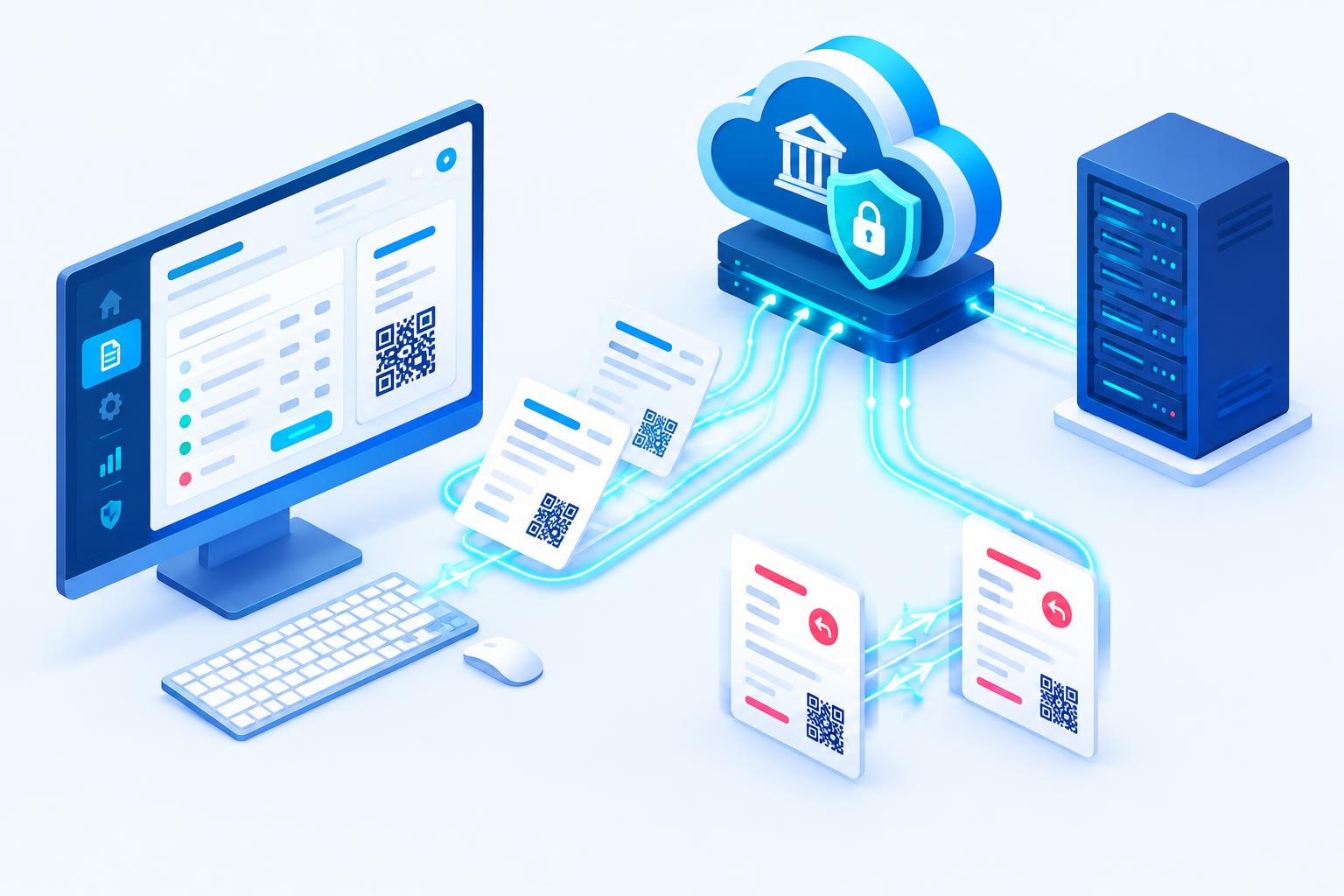
WHMCS billing panel sending e-invoices with QR codes to KRA eTIMS
Automate your invoicing. Simplify KRA compliance.

Platforms & providers

eTIMS logo
eTIMS
Overview

What is the WHMCS eTIMS Module?

The Enet WHMCS eTIMS module connects WHMCS to KRA's Electronic Tax Invoice Management System (eTIMS). Invoices generated in WHMCS can be submitted to KRA automatically and KRA's responses are recorded against the invoice.

It is particularly useful for web hosting companies, domain registrars, software providers and other subscription-based businesses that issue many recurring invoices and want compliance without changing how they bill.

At a glance

8
Key features
6
Steps to go live
5
Business types served
Nairobi
Local support team
  • Ready-made module
  • Built for WHMCS
  • Less manual processing
Features

Everything you need, built in

Automate KRA electronic tax invoicing directly from WHMCS.
01

Automated Invoice Submission

Submit WHMCS sales invoices to KRA eTIMS automatically β€” less manual intervention and fewer data-entry errors.

02

Credit Notes & Refunds

Handle cancellations, refunds and adjustments through credit note workflows consistent with KRA submissions.

03

KRA Validation & QR Codes

Retrieve and store KRA invoice references, validation details and QR code data for verification.

04

Product & Item Mapping

Map WHMCS products, domains and add-ons to applicable KRA item classifications.

05

Recurring Billing Ready

Works with WHMCS recurring invoices for hosting, domains and subscriptions.

06

Native WHMCS Workflow

Runs inside your existing WHMCS environment β€” no new billing system to learn.

07

Submission Reports

Track submitted, pending and failed invoices so nothing slips through.

08

Setup & Support

Our Nairobi team helps install, configure and test your eTIMS connection.

How it works

From first call to go-live

  1. 01

    Invoice created in WHMCS

    As usual β€” orders, renewals or manual invoices.

  2. 02

    Items mapped

    Products are matched to their KRA classifications.

  3. 03

    Submitted to eTIMS

    The module sends the invoice to KRA automatically.

  4. 04

    KRA responds

    Invoice reference, validation data and QR code are returned.

  5. 05

    Invoice updated

    KRA details are saved and can appear on the customer's invoice.

  6. 06

    Adjustments handled

    Refunds and cancellations go through credit note workflows.

Screenshots

A look inside eTIMS Module

Live screenshots are being prepared β€” ask us for a live demo in the meantime.
etims-module.enet.co.ke

Screenshot coming soon

Dashboard overview
etims-module.enet.co.ke

Screenshot coming soon

Main workflow
etims-module.enet.co.ke

Screenshot coming soon

Reports & analytics
etims-module.enet.co.ke

Screenshot coming soon

Settings & configuration
etims-module.enet.co.ke

Screenshot coming soon

Mobile view
etims-module.enet.co.ke

Screenshot coming soon

Notifications
Who it's for

Built for businesses like yours

Web Hosting Companies

Compliant invoicing for hosting, VPS and server services.

Domain Registrars

Registrations, renewals and transfers invoiced through eTIMS.

Software & SaaS Providers

Licences and subscriptions billed in WHMCS.

ICT Service Providers

SSL, maintenance and managed services.

Subscription Businesses

High-volume recurring invoices without manual submission.

Why Enet

Why businesses choose Enet

Ready-made module

A proven integration, not a project started from scratch.

Built for WHMCS

Fits WHMCS invoice, product and service workflows.

Less manual processing

Automation removes repetitive invoice re-entry.

Pairs with M-Pesa

Combine with our WHMCS M-Pesa module for paid-and-compliant invoices.

Custom development

We can extend it around your specific requirements.

End-to-end ICT expertise

Hosting, APIs, payments and business systems under one team.

Before you start

Requirements

Our team can assist with installation, configuration, connectivity testing and invoice workflow verification.
  • An operational WHMCS installation.
  • Access to the WHMCS admin area and module directories.
  • A KRA PIN registered for eTIMS with the required integration approval.
  • eTIMS integration credentials for your business.
  • A compatible WHMCS and PHP environment.
  • Correct product to KRA item classification mapping.
Answers

eTIMS Module questions

Straight answers from our team. Still unsure? Call, WhatsApp or chat with us.
01Does the module submit WHMCS invoices to KRA automatically?
Yes. Invoices are submitted to KRA eTIMS from your WHMCS environment, reducing manual invoice processing.
02Can it handle refunds and cancellations?
Yes. Adjustments are handled through integrated credit note workflows.
03Are KRA references and QR codes stored?
Yes. KRA invoice references, validation details and QR code information are retrieved and processed.
04Can Enet install it for me?
Yes. We assist with installation, configuration, testing and ongoing support.
05Can I use it together with the M-Pesa module?
Yes. Many clients run both so invoices are paid via M-Pesa and reported to KRA automatically.
Related

Keep exploring

Connect your systems

Let your systems talk to each other

M-PESA, KRA eTIMS, TRA VFD, banks, SMS and WhatsApp β€” connected to your website, shop, WHMCS or ERP by one experienced local team.

  • Sandbox tested
  • Secure credentials
  • Auto reconciliation
  • Local support

Plan your integration

Share the system you use and what you want to connect.