Point of Sale

POS System for Kenyan Businesses

Sell faster, stay KRA-compliant and know your stock in real time.

A cloud point of sale for retail shops, supermarkets, restaurants, pharmacies, hardware stores and wholesalers. Ring up sales with a barcode scanner or touchscreen, accept cash, card and M-Pesa, issue eTIMS-compliant receipts and track stock across every branch from one dashboard.
  • Fast Checkout
  • KRA eTIMS Receipts
  • M-Pesa Payments
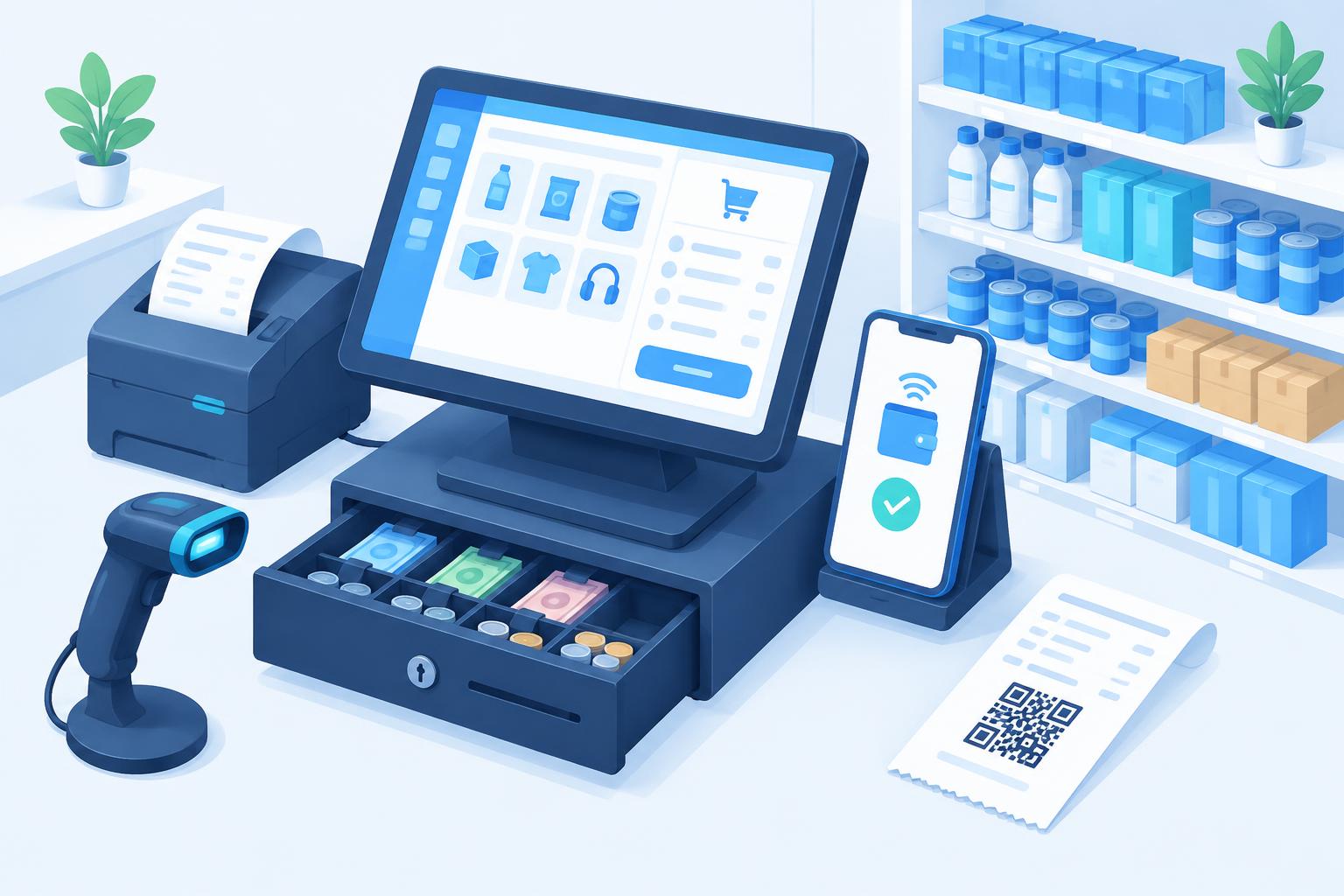
Point of sale terminal with barcode scanner, receipt printer, cash drawer and M-Pesa payment on a phone
Every sale recorded. Every shilling accounted for.
Overview

Why your business needs a modern POS

A cash book and a calculator can't tell you which products are running out, which cashier was short at closing, or how much VAT you owe. Manual receipts also don't meet KRA eTIMS requirements, which now apply to every VAT and non-VAT registered business issuing invoices.

Enet POS records every sale, payment and stock movement as it happens. Receipts are transmitted to KRA eTIMS automatically, M-Pesa payments are confirmed on screen without checking a phone, and owners see live sales, profit and stock levels from anywhere — even when they're not in the shop.

Because it runs in the cloud with an offline mode, the till keeps selling during internet outages and syncs once the connection returns, so you never turn a customer away.

It grows with you: start with one till, then add branches, warehouses, staff and an online store on the same stock — without changing systems.

At a glance

8
Key features
8
Modules
6
Business types served
Nairobi
Local support team
  • Built for your market
  • Cloud-hosted
  • Works on any device
Features

Everything you need, built in

Sell faster, stay KRA-compliant and know your stock in real time.
01

Fast Checkout

Barcode scanning, quick-search and touch product grids for busy counters.

  • Hold & recall sales
  • Discounts and price overrides with approval
  • Split payments
Compliance

KRA eTIMS Receipts

Every sale is signed and sent to eTIMS with a QR code on the receipt.

  • Credit notes for returns
  • VAT and exempt items
  • Retry queue if KRA is offline
03

M-Pesa Payments

STK Push to the customer's phone and automatic Till/Paybill confirmation.

  • No manual code checking
  • Payment matched to the sale
  • Daily M-Pesa reconciliation
04

Inventory Control

Live stock levels, reorder alerts, batches, expiry dates and stock takes.

  • Units & pack sizes
  • Stock adjustments with reasons
  • Low-stock SMS alerts
05

Multi-Branch

Run several shops and warehouses with transfers and central pricing.

  • Branch-level reports
  • Inter-branch transfers
  • Central product catalogue
06

Offline Mode

Keep selling when the internet drops; sales sync automatically later.

07

Shifts & Cash-Up

Opening float, cashier shifts, Z-reports and over/short tracking.

08

Sales & Profit Reports

Best sellers, margins, hourly trends and VAT reports in real time.

Modules

Modules that work together

Enable what you need today and grow into the rest — all on one platform.

Sales & Checkout

  • Retail and wholesale price levels
  • Customer-specific pricing
  • Quotations and proforma invoices
  • Returns, refunds and exchanges
  • Receipt, A4 invoice and delivery note printing

Inventory & Warehouse

  • Barcode label printing
  • Batch and expiry tracking
  • Serial numbers for electronics
  • Stock takes and variance reports
  • Reorder levels and suggested orders

Purchasing & Suppliers

  • Purchase orders and goods received notes
  • Supplier invoices and payments
  • Supplier balances and statements
  • Landed cost calculation

Customers & Credit

  • Customer accounts and credit limits
  • Debtor statements and aging
  • Loyalty points and rewards
  • SMS receipts and promotions

Restaurant & Bar

  • Table and order management
  • Kitchen and bar order printing
  • Modifiers and combos
  • Waiter performance reports

Accounting & Tax

  • eTIMS integration
  • VAT and turnover tax reports
  • Expenses and petty cash
  • Export to accounting software

Staff & Security

  • Role-based permissions
  • Manager PIN approvals
  • Full audit trail of edits and voids
  • Attendance and commissions

Online & Integrations

  • WooCommerce stock sync
  • Bulk SMS and WhatsApp
  • REST API for custom apps
  • Owner mobile dashboard
How it works

From first call to go-live

Works with most USB/Bluetooth barcode scanners, 58mm/80mm thermal printers and standard cash drawers.
  1. 01

    Set up your shop

    We configure branches, taxes, payment methods and receipt layout.

  2. 02

    Import products

    Upload your item list with prices, barcodes and opening stock.

  3. 03

    Connect eTIMS & M-Pesa

    Link your KRA PIN and Till or Paybill for automatic confirmation.

  4. 04

    Install hardware

    Connect scanners, receipt printers and cash drawers you already own or buy.

  5. 05

    Train your team

    Cashiers are selling within an hour; managers learn reports and stock.

  6. 06

    Go live & grow

    Monitor sales remotely and add branches or modules as you expand.

Screenshots

A look inside POS System

Live screenshots are being prepared — ask us for a live demo in the meantime.
pos-system.enet.co.ke

Screenshot coming soon

Checkout screen
pos-system.enet.co.ke

Screenshot coming soon

eTIMS receipt with QR code
pos-system.enet.co.ke

Screenshot coming soon

M-Pesa STK Push payment
pos-system.enet.co.ke

Screenshot coming soon

Inventory & stock levels
pos-system.enet.co.ke

Screenshot coming soon

Sales & profit dashboard
pos-system.enet.co.ke

Screenshot coming soon

Shift cash-up / Z-report
pos-system.enet.co.ke

Screenshot coming soon

Branch stock transfers
pos-system.enet.co.ke

Screenshot coming soon

Owner mobile view
Who it's for

Built for businesses like yours

Supermarkets & minimarts

High-volume checkout with barcode scanning.

Retail & boutiques

Sizes, colours and variants made simple.

Restaurants, cafés & bars

Tables, kitchen orders and fast service.

Pharmacies & agrovets

Batch numbers and expiry tracking.

Hardware & electronics

Serial numbers, credit sales and quotations.

Wholesalers & distributors

Price levels, debtors and multi-warehouse stock.

Why Enet

Why businesses choose Enet

Built for your market

Designed around local workflows, payment methods and regulations.

Cloud-hosted

Runs on Enet infrastructure with daily backups and SSL.

Works on any device

Browser-based on desktop, tablet and phone.

Customisable

Our developers can tailor fields, reports and workflows.

Training & onboarding

Data migration, staff training and go-live support.

Local support

An expert team reachable by phone, WhatsApp and email.

Before you start

Requirements

We help with eTIMS onboarding, M-Pesa Daraja setup, product import and hardware recommendations.
  • A KRA PIN registered for eTIMS.
  • An M-Pesa Till or Paybill (optional, for automatic confirmation).
  • A computer, tablet or Android POS device with a browser.
  • Barcode scanner and thermal receipt printer (recommended).
  • Your product list with prices and opening stock.
Answers

POS System questions

Straight answers from our team. Still unsure? Call, WhatsApp or chat with us.
01Is Enet POS KRA eTIMS compliant?
Yes. Each sale is transmitted to KRA eTIMS and the receipt carries the signed QR code and control number. Returns are issued as credit notes.
02Can customers pay with M-Pesa?
Yes. The cashier can send an STK Push to the customer's phone, or customers pay to your Till/Paybill and the payment is confirmed on screen automatically.
03Does it work without internet?
Yes. Offline mode keeps the till selling and syncs sales, stock and eTIMS submissions when the connection is restored.
04Can I manage several branches?
Yes. Each branch has its own stock and tills, with transfers, central pricing and consolidated reports for the owner.
05What hardware do I need?
Any computer, tablet or Android POS with a browser. Barcode scanners, thermal printers and cash drawers are optional but recommended.
06Can I check sales from my phone?
Yes. Owners and managers can see live sales, profit, stock and cashier activity from any device.
07Can I move my products from my old system?
Yes. We import products, customers, suppliers and opening balances from Excel or your previous POS.
08Does it support restaurants?
Yes. The restaurant module adds tables, kitchen/bar order printing, modifiers and waiter reports.
Related

Keep exploring

Book a demo

Run your business on software that fits how you work

See the system working with your own workflow. We set it up, import your data, train your team and support you locally.

  • M-PESA ready
  • eTIMS ready
  • Secure cloud
  • Training included

Request a demo

Tell us about your business and we'll arrange a walkthrough.
