WooCommerce payment plugin

M-PESA for WooCommerce

Customers pay with M-PESA at checkout — orders confirm themselves.

Add M-PESA STK Push to your WooCommerce checkout: the customer enters their phone number, approves the payment prompt and the order is marked paid automatically using your own Paybill or Till.

  • STK Push checkout
  • Automatic confirmation
  • Paybill or Till
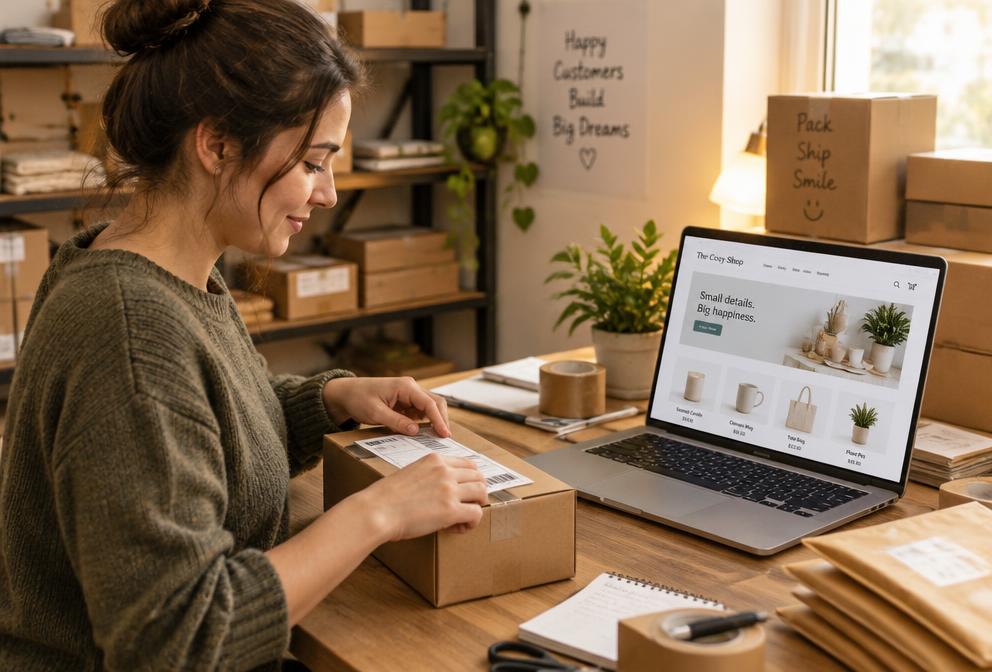
WooCommerce online store connected to M-PESA, SMS and WhatsApp
Pay. Confirm. Ship.

Platforms & providers

WordPress logo
WordPress
WooCommerce logo
WooCommerce
Overview

Stop checking your phone for payments

Without integration, shop owners match M-PESA messages to orders by hand — slow, error-prone and impossible at night. With STK Push the payment request goes straight to the customer's phone and the confirmation comes back to your store.

We connect your Safaricom Daraja credentials, configure callbacks and test real payments before you go live.

At a glance

6
Key features
4
Steps to go live
3
Business types served
Nairobi
Local support team
  • We use it ourselves
  • Installed and configured for you
  • Local support and updates
Features

Everything you need, built in

Customers pay with M-PESA at checkout — orders confirm themselves.
01

STK Push checkout

A payment prompt appears on the customer's phone — no Paybill typing.

02

Automatic confirmation

Orders change to Processing as soon as M-PESA confirms.

03

Paybill or Till

Works with your own Paybill or Buy Goods Till number.

04

Receipt numbers saved

The M-PESA transaction code is stored on each order.

05

Easy reconciliation

Match orders and payments quickly in your reports.

06

Retry payments

Customers can retry if they miss or cancel the prompt.

How it works

From first call to go-live

  1. 01

    Tell us your setup

    Your platform version, hosting and the accounts to connect (Paybill, sender name or WhatsApp number).

  2. 02

    Install & configure

    We install the module, add your credentials securely and match it to your workflow.

  3. 03

    Test end to end

    Real test orders or invoices confirm every message, payment and status update works.

  4. 04

    Go live & support

    Switch to production, train your team and get ongoing updates and support.

Screenshots

A look inside M-PESA

Live screenshots are being prepared — ask us for a live demo in the meantime.
m-pesa.enet.co.ke

Screenshot coming soon

Dashboard overview
m-pesa.enet.co.ke

Screenshot coming soon

Main workflow
m-pesa.enet.co.ke

Screenshot coming soon

Reports & analytics
m-pesa.enet.co.ke

Screenshot coming soon

Settings & configuration
m-pesa.enet.co.ke

Screenshot coming soon

Mobile view
m-pesa.enet.co.ke

Screenshot coming soon

Notifications
Who it's for

Built for businesses like yours

Online shops

Sell on WooCommerce and confirm payments without checking your phone.

Restaurants & delivery

Take orders online and keep customers updated until delivery.

Retailers & wholesalers

Large catalogues, repeat customers and many orders a day.

Why Enet

Why businesses choose Enet

We use it ourselves

Our own hosting business runs on these modules, so they're tested on real invoices, orders and customers every day.

Installed and configured for you

We install, connect your accounts, test in a sandbox and hand over a working setup — not just a download link.

Local support and updates

An expert team that answers on phone, WhatsApp and tickets, with updates when your platform or the provider's API changes.

Before you start

Requirements

We can also host your WooCommerce store on fast, secure Enet hosting with free SSL.
  • WordPress with WooCommerce (current version)
  • An M-PESA Paybill or Till number
  • Safaricom Daraja API access
  • SSL (HTTPS) on your store
Answers

M-PESA questions

Straight answers from our team. Still unsure? Call, WhatsApp or chat with us.
01Do I need my own Paybill or Till?
Yes. Payments go directly to your M-PESA business account; we only set up the connection.
02Do I need Daraja API access?
Yes. We help you apply for and configure Safaricom Daraja production credentials.
03Can customers still pay manually?
Yes. You can keep manual Paybill instructions as a backup option.
Related

Keep exploring

Connect your systems

Let your systems talk to each other

M-PESA, KRA eTIMS, TRA VFD, banks, SMS and WhatsApp — connected to your website, shop, WHMCS or ERP by one experienced local team.

  • Sandbox tested
  • Secure credentials
  • Auto reconciliation
  • Local support

Plan your integration

Share the system you use and what you want to connect.